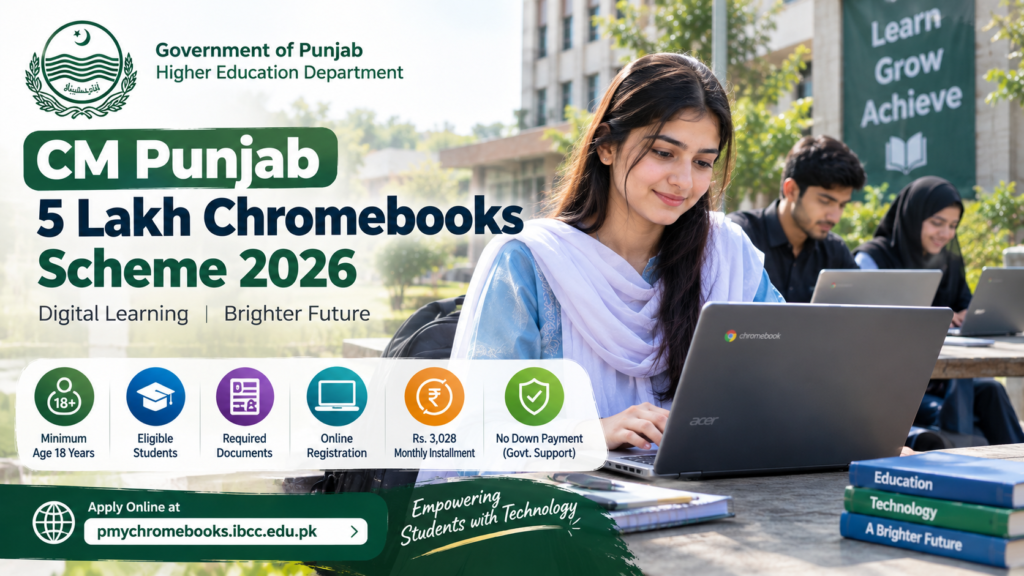
Students and parents across Punjab are searching for information about the 5 lakh Chromebooks Scheme 2026. Many want to know whether the government is providing free Chromebooks, which students can apply, what documents are required, and where the official registration portal is available.
The initiative is intended to increase access to digital learning and provide eligible students with technology that can support their education. A Chromebook can help students access online learning platforms, prepare assignments, research educational topics and develop digital skills.
However, there is an important distinction applicants should understand before registering. The official programme is called the Prime Minister’s Youth Chromebook Scheme 2026. It is a nationwide initiative rather than a separate scheme officially named the CM Punjab 5 Lakh Chromebooks Scheme. Students in Punjab may be considered under the nationwide programme according to its published eligibility rules.
The official registration portal is:
https://pmychromebooks.ibcc.edu.pk
This guide explains the programme, eligibility, documents, application steps, merit-based selection, Punjab students’ participation and important precautions. Students should always check the official portal and their education board for the latest instructions before submitting personal information.
What Is the 5 Lakh Chromebooks Scheme 2026?
The Prime Minister’s Youth Chromebook Scheme is an educational technology initiative designed to support students through access to digital devices. The programme has been reported as a plan to distribute 500,000 Chromebooks across Pakistan.
Chromebooks are lightweight computers that use Google’s ChromeOS operating system. They are designed primarily for internet-based activities, including web browsing, online classes, document preparation and educational applications.
For students who do not have reliable access to a computer at home, a device can make several academic activities easier. Students may use compatible educational tools to research assignments, prepare presentations, access online resources and practise technology-related skills.
The programme’s official portal is managed through the Inter Boards Coordination Commission (IBCC), which provides the student record-checking and application process.
It is important to distinguish this initiative from the separate CM Punjab Laptop Program. Punjab’s provincial programme has its own eligibility conditions and application portal. Students should not assume that the requirements for one programme automatically apply to the other.
Is the Chromebook Scheme for Punjab Students?
Yes, Punjab students are included in the nationwide scheme’s published eligibility framework.
According to the official IBCC portal, students from Punjab, Sindh, Khyber Pakhtunkhwa and Balochistan are being considered from the top-performing Grade 9, also known as SSC-I, students of government or public schools based on the Annual Examinations 2026.
The portal gives a different framework for students under the boards of Islamabad Capital Territory, Azad Jammu and Kashmir, and Gilgit-Baltistan, where top-performing Grade 9 and Grade 10 students are considered.
The following table summarises the published framework.
| Detail | Information |
|---|---|
| Programme name | Prime Minister’s Youth Chromebook Scheme 2026 |
| Total announced devices | 500,000 Chromebooks |
| Punjab students | Eligible students may be considered under the national programme |
| Relevant Punjab class | Grade 9 / SSC-I |
| Examination basis | Annual Examinations 2026 |
| School category | Government/public schools under the portal’s published criteria |
| Application method | Online through the official IBCC portal |
| Official website | https://pmychromebooks.ibcc.edu.pk/ |
The official portal’s eligibility section should be treated as the primary source. Students should not rely only on social media posts, unofficial registration websites or forwarded messages.
What Is the Difference Between the CM Punjab Laptop Scheme and the Chromebook Scheme?
This is one of the most important questions for students searching online.
The names of the two programmes are sometimes mixed together in online articles, which can create confusion. Although both relate to educational technology, they are separate initiatives.
1. Prime Minister’s Youth Chromebook Scheme
This is the nationwide initiative associated with the distribution of 500,000 Chromebooks. Its official application platform is managed through IBCC, and its published eligibility criteria identify top-performing school students in the relevant examination categories.
Official portal: https://pmychromebooks.ibcc.edu.pk/
2. CM Punjab Laptop Program
The CM Punjab Laptop Program is a separate provincial initiative administered through Punjab’s education authorities. The Punjab government announced a programme targeting more than 110,000 laptops in its 2025 programme.
Its eligibility framework has focused on specified university and college students, Punjab domicile requirements and academic performance. The programme has its own application portal.
Official portal: https://cmlaptophed.punjab.gov.pk/
These programmes should not be treated as interchangeable. A Grade 9 student interested in the Chromebook initiative should check the IBCC portal, while a university student seeking information about the CM Punjab Laptop Program should consult the provincial portal.
Eligibility Criteria for the 5 Lakh Chromebooks Scheme 2026
Eligibility is a major concern for students and parents. Before starting an application, students should confirm that their school, examination board and academic record fall within the programme’s published rules.
1. Class and examination requirements
For Punjab, the official portal identifies top-performing Grade 9 students, also known as SSC-I students, based on the Annual Examinations 2026.
Students should therefore check whether their examination record is included in the data supplied by their relevant education board. The scheme should not be assumed to cover every student currently enrolled in Grade 9.
2. School eligibility
The official portal states that students enrolled in government or public schools are eligible under the scheme’s published criteria.
Some news reports have discussed additional categories, including students associated with provincial education foundations and registered religious seminaries. Because these categories may require separate verification, students should check the latest official instructions and their board’s notices before relying on a third-party explanation.
Private-school students should not assume they qualify under the standard portal criteria.
3. Academic performance
The scheme is designed around top-performing students, with academic results used as part of the selection process.
Some media reports have described a minimum of 50% marks for consideration. However, students should not treat this figure as a guarantee of selection or as a replacement for the official portal’s instructions.
Meeting a minimum threshold, where applicable, does not automatically mean a student will receive a Chromebook. Final allocation depends on the official eligibility and selection process.
4. Examination board record
Students need to ensure that their academic information matches the record maintained by their examination board.
The portal allows students to search for their record using the information requested on the website. If a record does not appear, students can try the alternative identification options provided by the portal.
If the record remains unavailable, contacting the relevant education board is a sensible next step.
5. Correct personal information
Applicants should enter their information accurately. Names, dates of birth, school details and identification numbers should match the relevant official documents.
Incorrect information can create verification problems. The official portal also warns that false information can lead to cancellation of a Chromebook allocation and may result in further action.
How to Apply for the 5 Lakh Chromebooks Scheme Online
The official application process is online. Students should use the IBCC portal rather than giving their personal information to an unofficial website or an agent.
Follow these steps.
Step 1: Visit the official portal
Open the official website:
https://pmychromebooks.ibcc.edu.pk
Check the web address carefully to ensure you are using the genuine portal. Do not enter your B-Form, CNIC or academic details on a lookalike website.
Step 2: Select your education board
Choose the education board under which you appeared in the relevant examination.
Selecting the correct board is important because the portal checks student details against information supplied by the board.
Step 3: Enter your identification details
Enter the information requested by the website. Depending on the available search options, this may include your B-Form or CNIC details, roll number or registration number, and date of birth.
Make sure that the details match your official documents.
Step 4: Find your student record
Use the portal’s record-search option to locate your information.
If the portal finds a matching record, review the displayed details carefully. Check your name, school and examination information before proceeding.
Step 5: Upload the required documents
Students whose records are available should follow the portal’s instructions for uploading supporting documents.
Use clear, readable files and make sure the correct documents are selected. Blurry photographs, incomplete documents or incorrect files can create problems during verification.
Step 6: Review the application
Before submitting, check all the information you have entered.
Pay particular attention to your name, school, examination details, identification documents and uploaded photograph. Correct errors before final submission because the portal states that students cannot directly edit their information themselves after submission.
Step 7: Submit and save your application slip
After completing the required sections, submit the application through the portal.
The official instructions state that students receive a reference number and an application slip after successful submission. Download the slip and keep the reference number somewhere safe for future use.
Important: If the portal does not find your record, try the alternative search method provided on the website. If your information remains unavailable, contact your relevant education board rather than repeatedly submitting incorrect details.
Documents Required for Chromebook Registration
Students should prepare their documents before beginning the application. This can make the process easier and reduce the likelihood of uploading incorrect files.
The official portal lists the following documents:
| Document | Purpose |
|---|---|
| Recent colour photograph | Student identification |
| SSC-I or SSC-II mark sheet, as applicable | Academic record verification |
| Attested B-Form or CNIC copy | Identity verification |
| Attested father’s or guardian’s CNIC copy | Supporting identification |
The portal specifies that the photograph should be a recent colour image with a plain background. It accepts JPG or PNG format for the photograph, while other listed documents can be uploaded in JPG, PNG or PDF format.
The stated maximum file size is 300 KB per document.
Before uploading, make sure that all text is readable and that the documents are complete. If a file is too large, resize or compress it without making the information difficult to read.
These document instructions are based on the official portal’s published information. Applicants should follow any updated requirements shown during registration.
How Will Students Be Selected?
Students should understand the difference between submitting an application and being selected.
Submitting a form does not guarantee that a Chromebook will be allocated. The programme uses academic records and verification procedures to identify eligible students.
The process may involve several stages:
- Student record matching: The portal checks the details entered by the student against records supplied by the relevant education board.
- Document verification: Required identity and academic documents are submitted and checked.
- School and enrolment verification: The relevant authorities verify the student’s educational information.
- Merit assessment: Eligible candidates are considered under the programme’s academic selection framework.
- Allocation and delivery: Devices are allocated to selected, verified students according to the programme’s official arrangements.
Students should not assume that a particular percentage of marks guarantees selection. The final outcome depends on the official rules, verification and available allocation.
If a student believes their record is incorrect or their application has been unfairly excluded, they should consult the relevant education board and official scheme channels for the procedure to raise a complaint.
How Many Chromebooks Will Punjab Receive?
The nationwide initiative has been reported as involving 500,000 Chromebooks.
Media reports have also published regional allocation figures, including a reported allocation of 181,090 devices for Punjab. However, students should confirm the latest official allocation and selection information through the relevant government notices and IBCC portal before treating a reported number as final.
A regional allocation does not mean every student in that province will receive a device. The programme’s eligibility rules, academic merit, verification and the number of available devices all matter.
For students, the most useful step is to confirm that their record is available on the official portal and to follow the instructions issued by their examination board.
What Are the Benefits of a Chromebook for Students?
A Chromebook can support students in several practical ways.
Online learning
Students can use compatible web-based learning platforms to attend classes, access study materials and review educational resources.
Assignment preparation
A Chromebook can help with writing assignments, preparing presentations, organising notes and completing research tasks using compatible applications.
Digital skills
Regular use of a computer can help students become more comfortable with internet research, online communication, document editing and other digital activities.
Access to educational resources
Students may use online libraries, educational websites, video lessons and other learning resources where internet access is available.
Preparation for future study and work
Basic computer skills are useful in many educational and professional settings. Learning to work with digital tools can help students prepare for future academic responsibilities.
A Chromebook is not a replacement for good teaching, books or a reliable internet connection. Its usefulness also depends on the student’s needs, the software available and access to connectivity.
Is the Chromebook Scheme Free?
The programme is described as a device-distribution initiative for eligible students. However, students should confirm the exact terms and any conditions stated by the official authorities.
Do not pay an unofficial agent who claims to guarantee a Chromebook, secure a place on a merit list or speed up selection.
If a website or individual asks for money to register you, verify the request through official channels before taking any action. Never share passwords, one-time verification codes or unnecessary personal information with unknown people.
The safest approach is to use the official IBCC portal and follow instructions published by your examination board.
What Should You Do If Your Record Is Not Found?
Some students may enter their information and receive a message indicating that no record has been found.
This does not always mean that the student has deliberately entered incorrect information. The portal depends on data supplied by education boards, and a record may not be found if the information entered does not match the available data.
Try the following steps:
- Confirm that you selected the correct education board.
- Check the spelling of your name and the details on your documents.
- Try your roll number or registration number if the portal allows it.
- Enter your date of birth exactly as it appears in your official record.
- If the record still does not appear, contact your relevant board for guidance.
Avoid submitting false information or creating duplicate applications in an attempt to bypass the record-checking process.
Official Portal and Important Links
Students should use these official websites to verify the information relevant to their situation.
| Purpose | Official website |
|---|---|
| Prime Minister’s Youth Chromebook Scheme | https://pmychromebooks.ibcc.edu.pk/ |
| Punjab Higher Education Department | https://hed.punjab.gov.pk/ |
| CM Punjab Laptop Program | https://cmlaptophed.punjab.gov.pk/ |
| Punjab Government portal | https://punjab.gov.pk/ |
The Chromebook scheme portal is the primary place to check eligibility instructions, find a student record and complete the online application where available.
The Punjab Higher Education Department and CM Punjab Laptop Program portal are relevant to students researching the separate provincial laptop initiative.
Frequently Asked Questions (FAQs)
1. What is the CM Punjab 5 Lakh Chromebooks Scheme 2026?
The phrase is commonly used in online searches, but the official programme associated with 500,000 Chromebooks is the Prime Minister’s Youth Chromebook Scheme 2026. It is a nationwide initiative that includes eligible students in Punjab under its published criteria.
2. What is the official Chromebook registration portal?
The official portal is https://pmychromebooks.ibcc.edu.pk/. Students should use this website to check their record and follow the registration instructions.
3. Can Punjab students apply for the Chromebook scheme?
Punjab students may be considered under the nationwide programme. The official portal identifies top-performing Grade 9 students from government or public schools based on the Annual Examinations 2026 for Punjab and several other provinces.
4. Can every Grade 9 student receive a Chromebook?
No. Students should not assume that all Grade 9 students qualify. The programme uses its eligibility and selection framework, and submitting an application does not guarantee a device.
5. Can private-school students apply?
The standard eligibility criteria displayed on the official portal refer to students enrolled in government or public schools. Students whose circumstances involve a foundation-supported school or another special category should check the latest official instructions rather than relying on assumptions.
6. Which documents are required?
The portal lists a recent colour photograph, the relevant mark sheet, an attested B-Form or CNIC copy, and an attested CNIC copy of the student’s father or guardian. Applicants should confirm the latest upload instructions on the official website.
7. What should I do if my record is not found?
Try the alternative search options provided by the portal, such as your roll number or registration number. If the record remains unavailable, contact your relevant education board for assistance.
8. Is the Chromebook scheme the same as the CM Punjab Laptop Program?
No. The Chromebook initiative is a nationwide programme administered through the IBCC portal, while the CM Punjab Laptop Program is a separate provincial initiative with its own eligibility requirements and website.
9. Is there a confirmed last date for registration?
Students should check the current notice on the official IBCC portal and any instructions issued by their relevant education board. Do not rely on an unverified deadline published by a third-party website or social media account.
10. Does applying guarantee a Chromebook?
No. Applications and student records are subject to the official eligibility, verification and selection procedures. Students should wait for official confirmation instead of believing anyone who promises guaranteed selection.
Final Words
The 5 lakh Chromebooks initiative is an important topic for students who want better access to digital learning. For Punjab students, the first step is to understand that the programme officially associated with 500,000 Chromebooks is the Prime Minister’s Youth Chromebook Scheme 2026, rather than a separately named CM Punjab Chromebook scheme.
Eligible students should check their records, prepare the required documents and follow the official instructions carefully. They should also distinguish this programme from the CM Punjab Laptop Program, which operates under a separate provincial framework.
For accurate information, visit https://pmychromebooks.ibcc.edu.pk/ and consult your relevant education board. Using official sources can help students avoid misleading claims, fake registration websites and unnecessary payments.